TL;DR — The Quick Answer
For years, “satellite internet” and “gaming” were two phrases that simply didn’t belong in the same sentence. If you grew up rural, you know the drill: you’d load into a match, take a shot, and watch your character fall over a full second before anything registered on screen. The internet worked for email. Gaming? Forget it.
That story has changed — but only partly, and only for certain providers. The satellite internet you can buy in 2026 splits into two very different worlds, and the gap between them is enormous. So let’s skip the marketing and look at what the ping counter actually says when you load into a game.
Why Orbit Height Decides Everything
Here’s the one fact that explains the whole article: latency on satellite internet is mostly a distance problem. Your signal has to physically travel up to a satellite and back, and light only moves so fast. The farther the satellite, the longer the round trip — there’s no software trick that beats the speed of light.
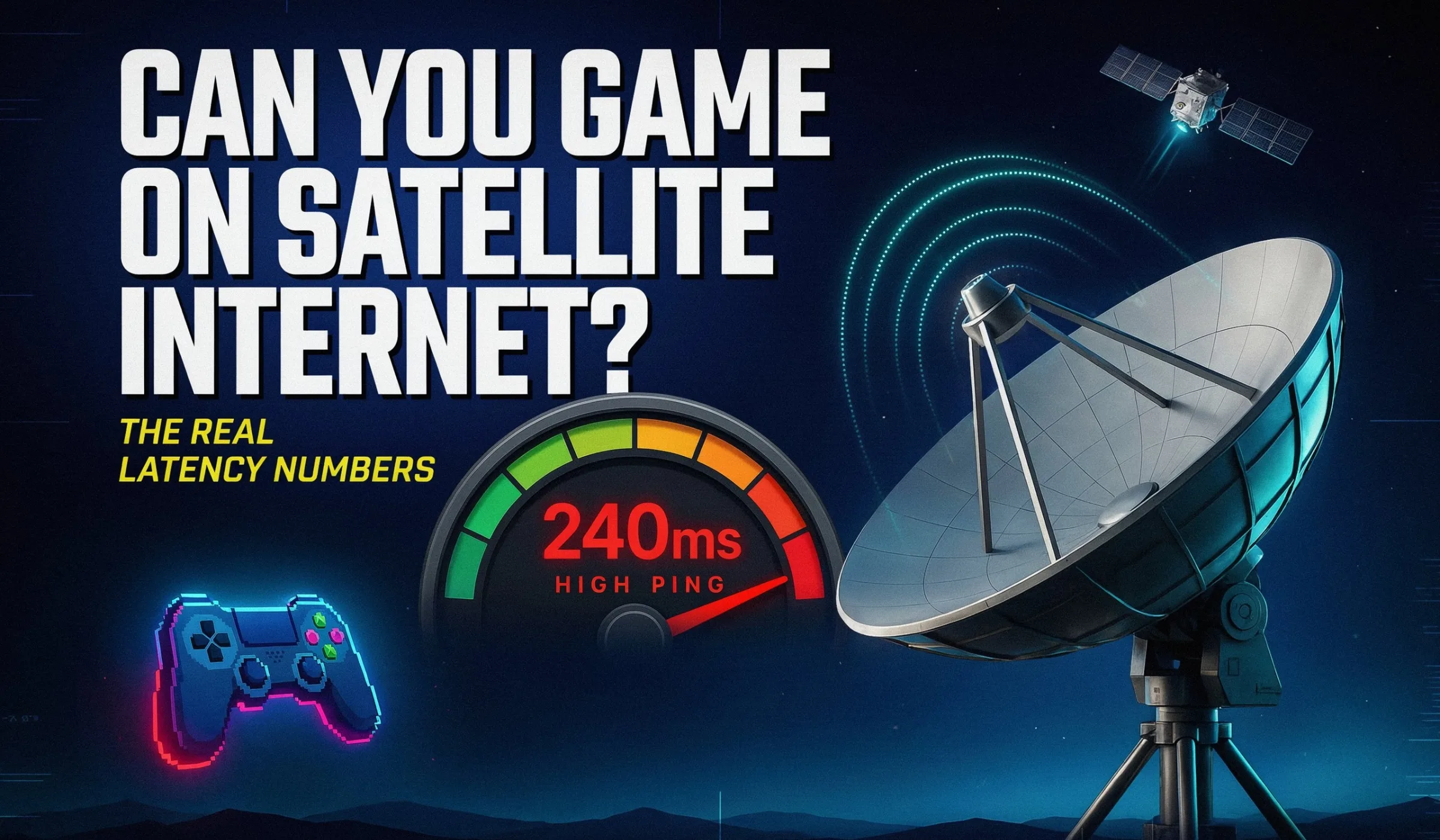
Old-school providers like HughesNet and Viasat park their satellites in geostationary orbit (GEO), roughly 22,000 miles up. Your data travels up, down to a ground station, then the whole trip happens again for the reply — close to 90,000 miles of round-trip travel. That alone bakes in 600+ ms of delay before you even count the game server. Starlink (and the new Amazon Leo) use low-Earth orbit (LEO) satellites just ~340 miles up — about 1/60th the distance. Same physics, wildly different result.
~340 miles up · close orbit
Playable latency
~340 miles up · close orbit
Playable latency
What Those Millisecond Numbers Actually Feel Like
Before we compare providers, it helps to know what a “ping number” translates to in real gameplay. You don’t need to be a tech person to read this — just match your typical ping to the row below.
<30 msBasically perfect. No felt delay. This is fiber and good cable territory.
30–50 msGreat for nearly every game. Competitive players can still perform well. Most Starlink users live here.
<50–80 msPlayable for most genres. You might lose a close duel in a fast shooter, but casual play feels fine.
80–120 msNoticeable in fast games. Still totally fine for MMOs, strategy, and casual titles. Starlink’s brief spikes land here.
120+ msFrustrating for shooters & fighting games.Turn-based and slower games still work.
<30 msUnplayable for anything real-time. This is where HughesNet and Viasat live.
Satellite Internet Gaming — Full Latency Breakdown (2026)
| Provider | Orbit / Type | Typical Ping | Best Case | Download | Gaming Verdict |
|---|---|---|---|---|---|
| Starlink | LEO · ~340 mi | 25–50 ms | 20–25 ms | 65–220 Mbps | Good for most games |
| Amazon Leo | LEO · ~370 mi | 20–40 ms* | ~20 ms | 100–1000 Mbps | Promising · beta 2026 |
| HughesNet | GEO · ~22,000 mi | 600–700 ms | ~600 ms | ~50 Mbps | Not for real-time |
| Viasat | GEO · ~22,000 mi | ~680 ms | ~600 ms | 50–150 Mbps | Not for real-time |
| Cable (ref.) | Wired | 15–35 ms | ~15 ms | up to 2 Gbps | Excellent |
| Fiber (ref.) | Wired | 5–15 ms | ~5 ms | up to 10 Gbps | Best in class |
| 5G Home (ref.) | Fixed wireless | 30–50 ms | ~25 ms | 100–300 Mbps | Good |
Amazon Leo figures are early targets — consumer beta is rolling out through 2026, with wide US availability more realistically a 2027 story. Numbers reflect Ookla, FCC Broadband data, and independent 2026 testing.
Starlink, Game by Game
Averages only tell you so much. Here’s how Starlink actually holds up across the genres people ask about most, based on 2026 testing on PC, PS5, and Xbox with a wired connection.
xcellent — SBMM pairs you with similar pings
Excellent — netcode handles brief spikes well
Good — jitter-sensitive, use Ethernet
Playable — competitive players feel the spikes
Excellent — not ping-sensitive like FPS
Perfect — latency is irrelevant here
On Starlink, the average is fine. The problem is the spike. Every few seconds the dish hands off from one satellite to the next, and during that split second packets can drop and ping jumps to 80–120 ms. That’s the rubber-banding — the shot that should have landed. A wired Ethernet connection and clear sky view cut these spikes dramatically.
Don’t Forget the Download Side
Latency wins matches, but modern games are huge, and that’s where satellite still lags behind wired. A 150 GB Call of Duty install takes roughly 3.3 hours on Starlink at 100 Mbps, versus about 40 minutes on a 500 Mbps cable line and 20 minutes on gigabit fiber. Starlink’s Priority plans also carry a monthly data allotment, and a single big game download can eat a noticeable chunk of it. The fix is simple: schedule large downloads for early morning, when Starlink speeds are typically at their best and the network is least congested.
The single biggest improvement most Starlink gamers can make: ditch Wi-Fi and plug your console or PC into the router with Ethernet (the Starlink Ethernet adapter for older dishes). Wi-Fi adds jitter that has nothing to do with the satellite. Then make sure your dish has a fully clear view of the sky — trees and rooflines cause obstructions that trigger extra handoffs and dropouts.
If You Want Lower Ping Than Satellite
Here’s the honest part. If satellite is genuinely your only option, Starlink is the clear pick for gaming. But a lot of rural and semi-rural addresses now have a 5G home internet option that quietly beats GEO satellite and rivals Starlink on ping — often without the data caps or the spikes. Before you commit, it’s worth checking all three. Not sure what reaches your address? Our team checks every provider at your location in one quick call.
Starlink
Residential · LEO
25–50
/ms65–220 Mbps download
- Works for most online games
- Available almost anywhere with sky view
- Occasional handoff spikes
T-Mobile 5G Home Internet
Fixed wireless · 5G
30–$50
/ms100–300 Mbps download
- No data caps, no annual contract
- No satellite handoff spikes
- Depends on local tower coverage
Verizon 5G Home
Fixed wireless · 5G
30–50
/ms100–300 Mbps download
- Solid low-latency for the price
- Unlimited data, price-lock options
- Coverage varies by neighborhood
Not sure what gets the lowest ping at your address?
Free availability check • No obligation • Real humans, no robo-menu
Gaming on Satellite: The Honest Trade-offs
This is specifically about Starlink — the only satellite service worth considering for real-time gaming in 2026. Legacy GEO satellite simply isn’t in the conversation.
What Works
- 25–50 ms is genuinely playable for most titles
- Available where fiber and cable never reach
- MMOs, RPGs, strategy, and casual play feel great
- Latency keeps improving as more satellites launch
- Morning sessions can dip into the low-20s ms
What to Watch
- Handoff spikes (80–120 ms) cause rubber-banding
- Still behind fiber/cable for ranked esports
- Peak-evening congestion pushes ping higher
- Big game downloads are slow and eat priority data
- Weather and obstructions can drop the connection
The Bottom Line
Can you game on satellite internet in 2026? On Starlink, yes — and it’s not even close to the old days. With 25–50 ms latency, the vast majority of games run well, from battle royales to MMOs. Only hardcore competitive FPS players chasing every millisecond will feel held back, mostly by the occasional satellite-handoff spike rather than the average ping.
On HughesNet or Viasat? No. Their 600+ ms latency makes real-time gaming a non-starter — fine for browsing and streaming, but not for anything where reaction time matters.
And if you’ve never checked whether 5G home internet or cable reaches your address, do that first. They often deliver lower, steadier ping than satellite for a similar price. A quick call to 855-696-0156 sorts it in minutes.
Frequently Asked Questions
For casual and mid-tier ranked play, yes — 25–50 ms is well within range for Valorant, CS2, Fortnite, and Call of Duty. Where it falls short is the top competitive tier, where pro players want consistent sub-20 ms ping with zero jitter. Starlink’s brief satellite-handoff spikes (up to 80–120 ms) are the issue, not the average. If you’re climbing to Radiant or Global Elite, a wired connection still has the edge.
It comes down to orbit height. Both park their satellites in geostationary orbit about 22,000 miles above Earth. Your signal travels up, down to a ground station, and back — close to 90,000 miles round-trip. Even at the speed of light, that distance alone forces roughly 600 ms of delay before the game server is even involved. No software update can beat that physics. Starlink’s satellites sit ~340 miles up, which is why their latency is a fraction of the figure.
Because LEO satellites are constantly moving across the sky, your dish has to hand off to a new satellite every few seconds. During that brief switch, a few packets can drop and ping momentarily jumps. That’s the rubber-banding gamers notice. Using a wired Ethernet connection, keeping the dish’s view of the sky completely clear, and avoiding peak evening hours all reduce how often and how badly these spikes hit.
Potentially. Amazon Leo is also a low-Earth-orbit network and targets latency in the 20–40 ms range — right alongside Starlink. As of mid-2026 it’s still in consumer beta in a handful of countries, with wide US availability more realistically a 2027 story. The good news for gamers: real competition between two big LEO networks should push prices down and performance up over the next couple of years.
It can. Heavy rain, thick snow, or storms can briefly raise latency or cause short dropouts on any satellite system, since the signal has to pass through the atmosphere. Starlink handles light weather well, but a serious downpour may add lag or a momentary disconnect. Obstructions like trees and rooflines actually cause more day-to-day trouble than weather, so a fully clear sky view matters most.
Often, yes — if it’s available at your address. T-Mobile and Verizon 5G Home typically deliver 30–50 ms latency without the satellite-handoff spikes, and usually with no data caps. The catch is coverage: 5G home depends on a nearby tower, so it isn’t available everywhere satellite reaches. That’s exactly why it’s worth checking both. Call 855-696-0156 and we’ll tell you what’s actually available where you live.
Less than most people think. The actual gameplay data for online matches is tiny — even 15–25 Mbps is plenty. What matters for gaming is latency and consistency, not raw download speed. Where high speed helps is downloading games (modern titles run 30–150 GB) and sharing the connection with other people in the house. So a Starlink connection with modest download speed but 30 ms ping will feel better in-game than a fast connection with 600 ms ping.
Last updated June 2026. Latency, speed, and availability figures are drawn from 2026 Ookla Speedtest data, FCC Broadband Performance reporting, and independent provider testing, and will vary by location, weather, time of day, and network congestion. Amazon Leo numbers reflect pre-launch targets. We’re not affiliated with any provider mentioned — we just help you find the connection that games best at your address.