TL;DR:
Why Internet Matters for Seniors
The internet has become an essential part of daily life, especially for older adults. Whether it’s video chatting with grandchildren, managing healthcare appointments through telemedicine, paying bills online, or simply staying informed and entertained, having reliable internet access isn’t just convenient—it’s increasingly necessary.
According to recent data, about 90% of American adults aged 65 and older now use the internet. That’s a remarkable shift from just a decade ago. But with so many providers, plans, and technical terms to navigate, finding the right internet service can feel overwhelming.
The good news? You don’t need the fastest, most expensive plan to stay connected. Most seniors simply need a reliable connection that’s easy to set up, comes with helpful customer service, and fits within a retirement budget. This guide will walk you through everything you need to know to make the best choice for your situation.
Important Note About “Senior Discounts”
Here’s the truth: as of 2025, no major internet provider offers discounts based solely on age. However, many seniors qualify for low-income assistance programs that can significantly reduce internet costs. These programs are based on income or participation in assistance programs like Medicaid, SNAP, or SSI—not age. We’ll cover all these options in detail below.
Best Internet Providers for Seniors
AT&T Fiber
$55
/month300 Mbps
- Excellent customer service (rated #1 in multiple regions)
- 99% reliability guarantee
- Free McAfee security suite included
- No annual contract required
- Free self-installation kit available
- Symmetrical upload/download speeds
Xfinity
$40
/month300 Mbps
- Best for bundling with TV and phone
- Wide availability across the country
- $10/month discount with AutoPay
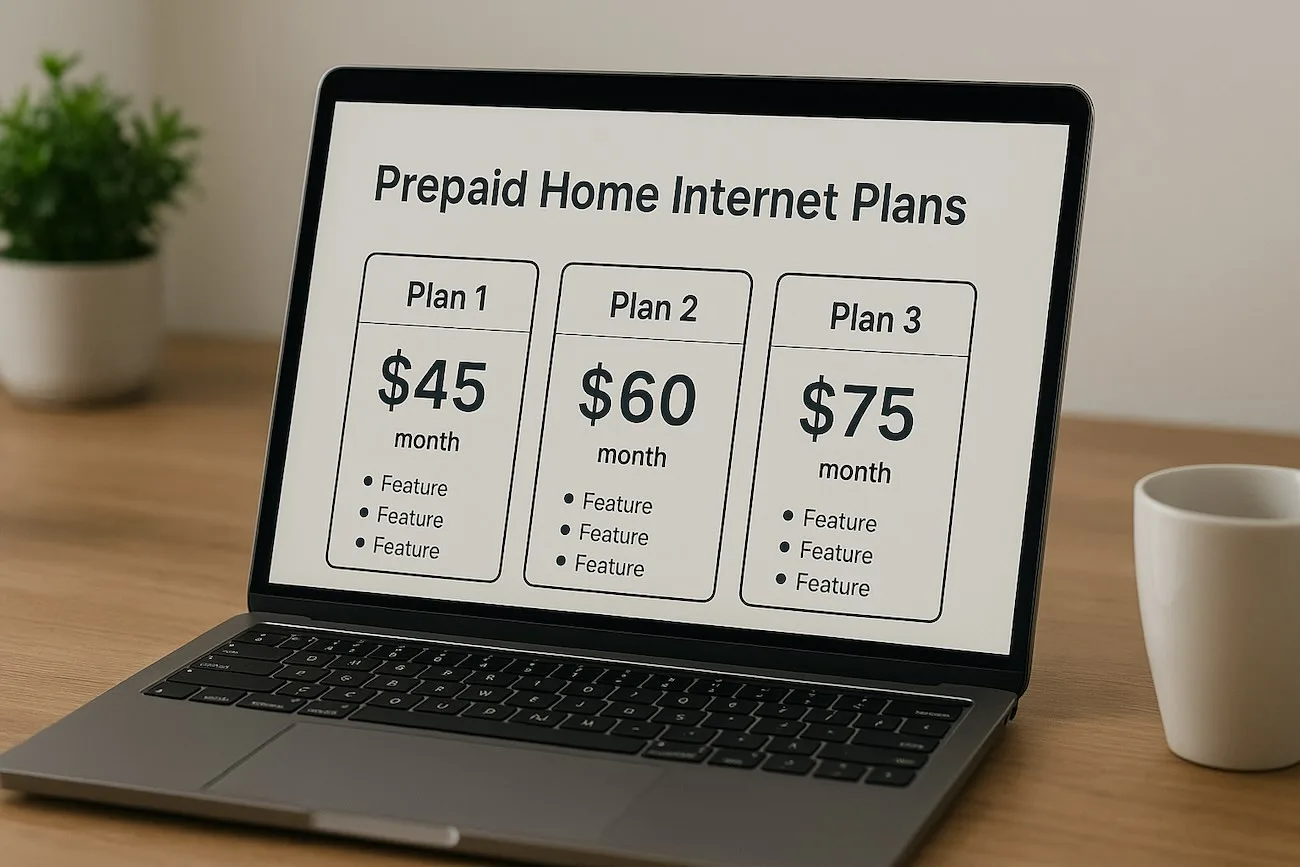
- Prepaid options available
- Access to Xfinity WiFi hotspots
- Strong customer service
Spectrum
$50
/month500 Mbps
- No data caps or overage fees
- No annual contract required
- Free modem included
- Simple TV and phone bundles
- Widespread coverage
- Reliable service
T-Mobile 5G Home
$50
/month100-400 Mbps
- Easiest setup – just plug and play
- No installation or technician needed
- No contracts or hidden fees
- Unlimited data included
- 15-day money-back guarantee
- Great for renters or frequent movers
Cox
$55
/month300 Mbps
- Easy setup process
- No annual contract
- Bundle discounts available
- Free WiFi equipment
- Reliable customer support
- Simple pricing structure
Verizon Fios
$59.99
/month300 Mbps
- Fiber-optic reliability
- 99.9% uptime guarantee
- No annual contract
- Router included free
- Excellent technical support
- Price guarantee options
Detailed Provider Comparison
| Provider | Starting Price | Speed | Contract | Best Feature for Seniors |
|---|---|---|---|---|
| AT&T Fiber | $55/mo | 300 Mbps | None | Outstanding customer service, includes security software |
| Xfinity | $40/mo | 300 Mbps | Optional | Best TV & phone bundles, wide availability |
| Spectrum | $50/mo | 500 Mbps | None | Simple plans, no data caps, reliable service |
| T-Mobile 5G Home | $50/mo | 400 Mbps | None | Easiest setup (plug-and-play), no installation |
| Cox | $55/mo | 300 Mbps | None | Easy setup, good bundle options |
| Verizon Fios | $59.99/mo | 300 Mbps | None | Most reliable (fiber), excellent support |
Low-Income Internet Programs for Seniors
While providers don’t offer age-based discounts, many seniors qualify for low-income assistance programs. These can dramatically reduce your internet costs if you meet certain income requirements or participate in government assistance programs.
Xfinity Internet Essentials
$14.95
/month75 Mbps
Spectrum Internet Assist
$25
/month50-100 Mbps
AT&T Access
$30
/month100 Mbps
Cox Connect2Compete
$9.95
/month100 Mbps
Mediacom Xtream Connect
$29.99
/month100 Mbps
Federal Lifeline Program
$9.25
/month75 Mbps
Important Update: ACP Ended
The Affordable Connectivity Program (ACP), which provided up to $30/month in internet assistance, ended in June 2024 due to lack of funding. However, the programs listed above are still active and available. Additionally, the Lifeline program continues to operate and provides ongoing support.
What Speed Do You Really Need?
One of the most confusing aspects of choosing internet service is figuring out how much speed you actually need. The good news is that for most seniors’ typical activities, you don’t need ultra-fast speeds.
| Activity | Recommended Speed | Details |
|---|---|---|
| Email & Web Browsing | 5-10 Mbps | Checking email, reading news, online banking |
| Video Calls (Zoom, FaceTime) | 10-25 Mbps | One-on-one video chats with family |
| Streaming TV (HD) | 25-50 Mbps | Watching Netflix, Hulu, YouTube in HD |
| Multiple Devices | 50-100 Mbps | When visitors use WiFi, multiple tablets/phones |
| 4K Streaming | 100+ Mbps | Ultra-high definition video (usually unnecessary) |
Our Recommendation
- For most seniors living alone or with a spouse: 50-100 Mbps is more than sufficient. This handles video calls, streaming TV, browsing, and even having guests who want to use your WiFi.
- If you live with family or have frequent visitors: 100-200 Mbps provides comfortable headroom for multiple people using the internet simultaneously.
- Don’t overpay for gigabit speeds unless you have specific needs like frequent large file transfers. Most seniors won’t notice any difference between 200 Mbps and 1000 Mbps for typical activities.
Key Considerations When Choosing a Provider
Customer Service Quality
This is absolutely crucial for seniors. When technology doesn’t work as expected, you want to be able to call someone who is patient, helpful, and speaks clearly. AT&T consistently receives high marks for customer service, particularly in the North Central and Western U.S. regions where they ranked #1 in J.D. Power’s customer satisfaction surveys.
Easy Installation
Many providers offer self-installation kits that are relatively simple to set up, but if you’re not comfortable with technology, don’t hesitate to pay for professional installation. That said, T-Mobile 5G Home Internet is truly plug-and-play—you just plug in the device and you’re online. No technician needed.
Security Features
Seniors are unfortunately common targets for online scams. AT&T includes free McAfee security software with all plans, which provides important protection against viruses and malicious websites. Other providers may charge extra for security features or not include them at all.
Bundling Options
If you still want traditional TV service or a home phone line, bundling can save money. Xfinity excels here, offering comprehensive bundles with hundreds of TV channels and phone service at discounted rates when purchased together.
Contract Requirements
Most providers now offer no-contract options, which is ideal. This gives you the flexibility to change providers if you’re not satisfied or if better deals become available. Avoid long-term contracts unless they come with significant savings that justify the commitment.
Pre-Purchase Checklist
- Verify the provider actually services your specific address (not just your area)
- Ask about the total monthly cost including all fees and equipment rental
- Confirm whether professional installation is included or costs extra
- Check if there are data caps or usage limits
- Ask about the price after any promotional period ends
- Inquire about customer service availability (24/7 phone support?)
- Request information about any senior or low-income programs you might qualify for
- Ask about the cancellation policy and any potential fees
Money-Saving Tips for Seniors
Set Up AutoPay: Many providers (like Xfinity and AT&T) offer $10/month discounts if you enroll in automatic payments. This also ensures you never miss a payment.
Bundle Services: If you want internet, TV, and phone service, bundling almost always costs less than buying each separately. Xfinity and Spectrum both offer attractive bundle deals.
Ask About Hidden Discounts: Call customer service and specifically ask if there are any discounts you qualify for. Mention you’re on a fixed income. While they may not advertise senior discounts, representatives sometimes have flexibility to offer retention deals.
Buy Your Own Equipment: Renting a modem/router typically costs $10-15/month. Buying your own can pay for itself in less than a year. However, some providers (like AT&T Fiber and T-Mobile) include equipment for free, so check first.
Review Your Bill Regularly: Promotional pricing often expires after 12 months. Set a calendar reminder to call your provider before the rate increases and negotiate a new deal or switch providers.
Compare With Neighbors: Talk to friends and neighbors about what they’re paying. If someone has the same provider but better pricing, call and ask for a price match.
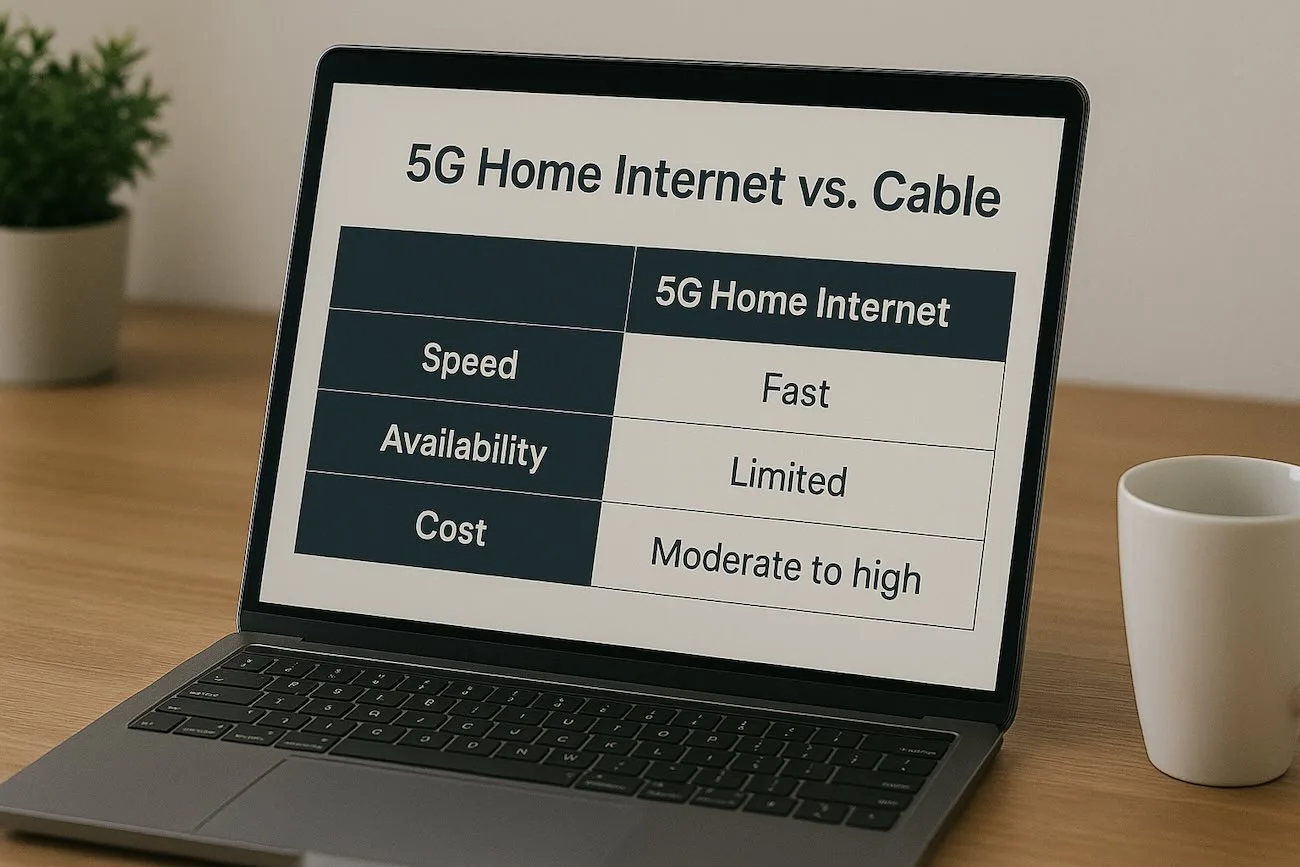
Consider 5G Home Internet: T-Mobile and Verizon’s 5G home internet services often cost less than traditional cable or fiber, require no installation, and work well for most seniors’ needs.
Pro Negotiation Tip
When your promotional rate is about to expire, call the “retention” or “loyalty” department (not regular customer service). These representatives have more authority to offer discounts. Politely mention you’re considering switching to a competitor, and they’ll often provide a better deal to keep you as a customer.
Staying Safe Online
Having internet access is wonderful, but it’s important to stay safe. Seniors are disproportionately targeted by online scams. Here are essential safety tips:
Essential Security Tips
- Never give out personal information in response to emails or phone calls, even if they claim to be from your bank or a government agency.
- Use security software: Consider AT&T Fiber (includes free McAfee) or purchase antivirus software separately.
- Create strong passwords: Use different passwords for different sites. Consider a password manager like LastPass or 1Password.
- Be skeptical of “too good to be true” offers: If you’ve won a prize you didn’t enter, or someone needs urgent financial help, it’s probably a scam.
- Keep your computer updated: Install software updates when prompted—they often include important security fixes.
- Use secure websites: Look for “https://” and a padlock icon in the address bar before entering sensitive information.
Getting Help With Technology
Don’t feel embarrassed if technology doesn’t come naturally to you. Many resources can help:
- Local libraries: Many offer free computer and internet classes specifically designed for seniors.
- Senior centers: Community centers often provide technology training and support.
- Organizations like EveryoneOn: Provide training and support for getting online (everyoneon.org).
- AARP: Offers online resources and tutorials for seniors learning technology.
- Family members: Don’t hesitate to ask grandchildren or younger relatives for help—most are happy to assist!
- Provider customer service: Companies like AT&T pride themselves on patient, helpful customer service.
Frequently Asked Questions
Unfortunately, no major internet provider offers discounts based solely on age as of 2025. However, many seniors qualify for low-income assistance programs through providers like Xfinity ($14.95/month), Spectrum ($25/month), and AT&T ($30/month). Additionally, the federal Lifeline program provides $9.25/month discounts for eligible households based on income or participation in assistance programs like Medicaid, SNAP, or SSI.
For most seniors living alone or with a spouse, 50-100 Mbps is more than adequate. This easily handles video calls with family, streaming TV shows, browsing the web, and checking email—even simultaneously. If you frequently have visitors who use your WiFi or live with family members, 100-200 Mbps provides comfortable headroom. Don’t be pressured into paying for ultra-fast gigabit speeds unless you have specific needs that require it.
AT&T consistently ranks highest for customer service, particularly in the North Central and Western U.S. regions where it was rated #1 by J.D. Power. Their representatives are known for being patient and helpful. Xfinity also receives good marks for customer service and has extensive support resources. The key is choosing a provider with 24/7 phone support staffed by people (not just automated systems), as this is crucial when you need help with technical issues.
It depends on the provider and your comfort level with technology. T-Mobile 5G Home Internet is the easiest—truly plug-and-play with no technician needed. AT&T and other providers offer free self-installation kits with clear instructions, but if you’re not comfortable, professional installation is available (usually $50-100). Don’t hesitate to pay for professional installation if it gives you peace of mind. Many providers will also walk you through setup over the phone.
If you want traditional TV service and a landline phone, bundling usually saves money compared to buying each service separately. Xfinity offers the best bundling options with comprehensive packages. However, if you’re comfortable with streaming services (like Netflix, Hulu, or YouTube TV) and only use a cell phone, you may not need a bundle. Calculate the total cost both ways before deciding—sometimes individual services from different providers cost less than a bundle.
There are several options for low-income seniors. Check if you qualify for Xfinity Internet Essentials ($14.95/month), Spectrum Internet Assist ($25/month), or AT&T Access ($30/month). These programs are available if you receive SSI, SNAP, Medicaid, or other assistance. The federal Lifeline program provides an additional $9.25/month discount that can be combined with these programs. Organizations like EveryoneOn can also help you find affordable options and may even assist with getting a computer.
Most major providers now offer no-contract options, which is what we recommend for seniors. This gives you the flexibility to cancel if you’re not satisfied or if you need to move. Some providers offer discounts if you sign a contract, but the flexibility of month-to-month service is usually worth the slightly higher price. Always ask about cancellation policies before signing up—there should be no early termination fees with no-contract plans.
Most home internet services require electricity to work, so they’ll go down during power outages. However, if you keep your cell phone charged, you can often use its mobile data as a backup. Some providers offer battery backup units that keep your internet running for several hours during outages. If reliable internet during emergencies is important to you, ask your provider about backup power solutions.
Never give out personal information (Social Security numbers, bank account details, passwords) in response to emails or phone calls. Legitimate companies won’t ask for this information. Use security software—AT&T includes free McAfee protection with all plans. Be skeptical of “too good to be true” offers, requests for urgent payments, or messages claiming your account has been compromised. When in doubt, hang up and call the company directly using a phone number from their official website or your billing statement.
Final Recommendations
Choosing internet service doesn’t have to be complicated. Here’s our straightforward advice based on different situations:
If You Want the Best Overall Service:
Choose AT&T Fiber ($55/month for 300 Mbps). You’re getting excellent customer service, 99% reliability, free security software, and a company that consistently ranks at the top for customer satisfaction. The slightly higher price is worth it for peace of mind.
If You Want to Bundle With TV and Phone:
Choose Xfinity (starting at $50/month). They offer the best bundling options with comprehensive packages that include hundreds of TV channels and phone service. Their customer service is solid, and they’re available in most areas.
If You Want the Simplest Setup:
Choose T-Mobile 5G Home Internet ($50/month). Literally plug it in and you’re online—no technician visit needed. Perfect if you’re not comfortable with technology or if you’re renting and don’t want installation hassles.
If You’re on a Fixed Income:
Apply for low-income programs starting with Xfinity Internet Essentials ($14.95/month) or Spectrum Internet Assist ($25/month). These programs provide good speeds at very affordable prices if you qualify based on income or participation in assistance programs.
If You Want Maximum Reliability:
Choose Verizon Fios ($59.99/month for 300 Mbps, Northeast only). Fiber-optic internet is the most reliable technology available with 99.9% uptime. Great customer support and equipment included free.
Whatever you choose, remember that you’re not locked in forever. With no-contract plans becoming the norm, you can switch providers if you’re not satisfied. Don’t be afraid to call customer service with questions—that’s what they’re there for. And don’t hesitate to ask family members or friends for help getting set up.
The internet opens up a world of possibilities for staying connected with loved ones, managing your life more easily, and enjoying entertainment. With the right provider and plan, you can enjoy these benefits without breaking your budget or dealing with confusing technology.
Ready to Get Started?
- Check which providers service your specific address (not just your area)
- Call 2-3 providers and ask about their senior or low-income programs
- Get the total monthly cost in writing, including all fees
- Ask about installation options and costs
- Verify the contract terms and cancellation policy
- Don’t be pressured into signing up on the first call—take your time to compare
Disclaimer: Last updated November 2025. All prices, plans, and availability are subject to change. Please verify current offers directly with providers. This guide is for informational purposes only and does not constitute financial or legal advice. Program qualifications are subject to provider verification.