TL;DR:
Got one stubborn dead spot and a modest plan? Grab a dual-band extender and place it midway to the router. Want whole-home, one-name Wi-Fi with smooth roaming for calls and steady speeds across floors? Choose a mesh system—ideally tri-band or with Ethernet backhaul—on Wi-Fi 6/6E. Extenders are cheaper for quick patches; mesh costs more but delivers consistent, hassle-free coverage.
Dead zones make even fast internet feel slow. One room streams 4K like a champ, the next can’t load a map. You know what? The fix usually comes down to two choices—mesh Wi-Fi or a range extender. They sound similar. They’re not.
Here’s the thing: both can stretch coverage, but they go about it in very different ways. Pick the right one and your home feels “wired fast” everywhere. Pick the wrong one and you’ll still be playing musical chairs with your router.
What they are in plain English
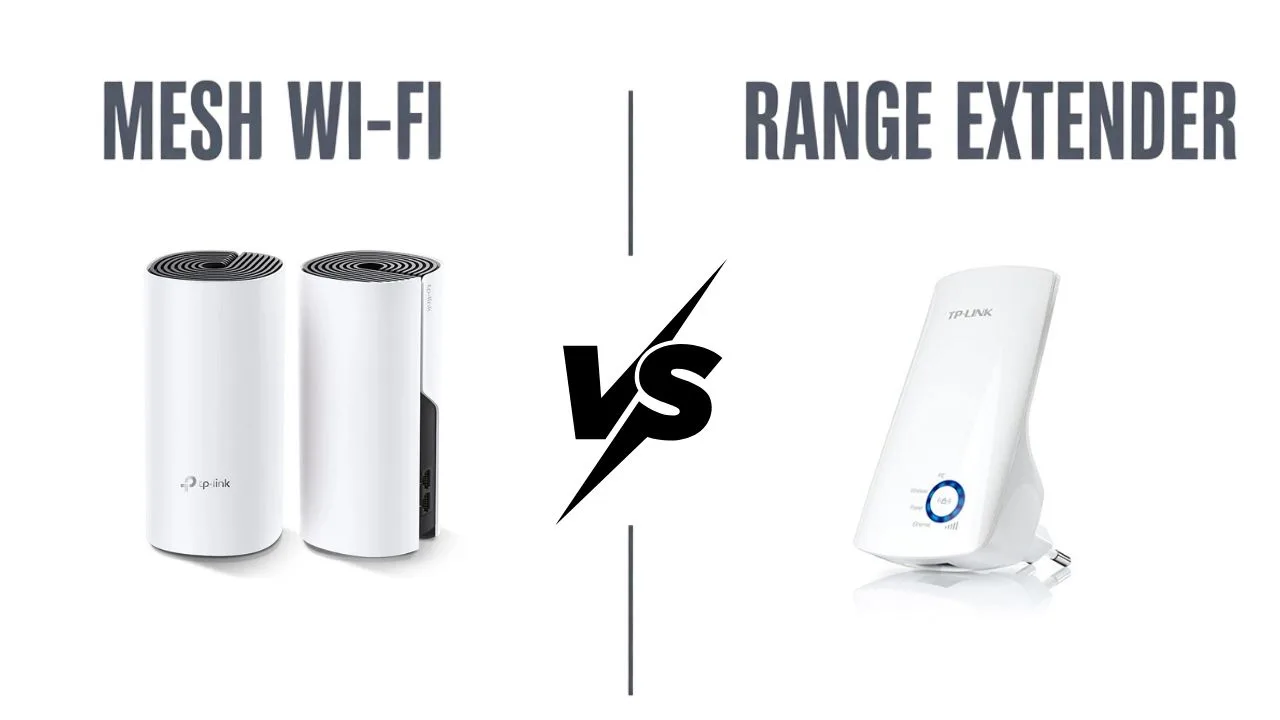
Mesh Wi-Fi in one line
Multiple Wi-Fi nodes (router + satellites) act like a single smart network that hands off your devices as you walk around. Think Eero, Google Nest Wifi Pro, TP-Link Deco, Netgear Orbi, Asus ZenWiFi.
Range extender in one line
A plug-in device repeats your existing router’s signal to reach farther. Common picks include TP-Link RE650, Netgear Nighthawk extenders, Asus repeaters.
If your router is a lighthouse, an extender is a mirror reflecting the light. A mesh system is a group of lighthouses that coordinate.
How they move data—and why you feel the difference
Extenders usually connect to your main router over Wi-Fi and then broadcast a new network name (sometimes the same name, sometimes “_EXT”). The hop cuts available bandwidth for connected devices because the extender is listening and talking over the same radio most of the time. It works, but the pipe narrows.
Mesh systems create a unified network with built-in steering. Many use a dedicated backhaul—either a separate 5 GHz or 6 GHz radio or an Ethernet link—so the data between nodes doesn’t compete with your phone or laptop. Result: better throughput and more consistent latency as you move around.
Honestly, you’ll notice it when you’re on a video call. With an extender, calls can stutter when you step into the far bedroom. With mesh, the hand-off is usually smooth and quiet.
Speed and stability in real life
Single-room speed: If you sit near the main router, both solutions feel fine. Extenders don’t help here; mesh neither helps nor hurts.
Far-room speed: Extenders boost bars but often trim speed. Great for browsing and social apps, less great for cloud gaming or 4K in a distant room. Mesh tends to keep more of your plan’s speed alive across the house.
Stability under load: When multiple people stream, upload, and game, mesh handles congestion better. Features like band steering, client steering, QoS, and dedicated backhaul keep traffic moving.
A small tangent that matters: uplink speed. If your home relies on video calls or backups, upload matters as much as download. Mesh nodes with Ethernet backhaul can preserve upload performance deep in the house; extenders can struggle because they share the air for both directions.
Roaming and device hand-off
Ever notice your phone “sticks” to a weak signal even when a stronger one is nearby? Extenders can make that worse, because your phone may cling to the router or the extender until the signal is painfully low. Mesh systems use a single SSID with coordinated steering and standards like 802.11k/v/r to nudge devices toward the best node. You just walk—and it follows.
Setup and maintenance
Extender
Plug in, press WPS or run a quick app wizard, and you’re done. You might end up managing two network names or hunting for the best outlet midway between router and dead zone. Firmware updates are manual on many models.
Mesh
The first setup can take a few more minutes, but the mobile apps are friendly. You add nodes like building blocks. Updates, diagnostics, and guest networks feel easier because it’s one system instead of a patchwork.
A quick note for smart homes: gadgets that hate switching SSIDs (older cameras, plugs) behave better on mesh because the network name stays the same everywhere.
Price and value
Extenders are cheaper upfront—great for a quick fix in a studio, dorm, or a small flat with one annoying corner. Mesh costs more, but you’re buying consistency. If you plan to stay put, or you work from home, that consistency pays you back in fewer headaches.
Seasonal deals help. During big sales, an entry mesh kit can land close to the price of a high-end extender. If you see TP-Link Deco or Eero two-packs near extender pricing, that’s usually the smarter move.
When a range extender makes sense
You have a solid router and only one small dead zone (like a balcony or garage).
You mostly browse, message, and watch short videos—no heavy gaming or 4K everywhere.
You’re renting and want the least-effort, lowest-cost patch.
Running Ethernet is impossible and a full mesh kit is outside the budget right now.
Tip: Pick dual-band or tri-band extenders with “OneMesh”/“AiMesh”-style compatibility if you might grow into mesh later. Some routers let you convert extenders into part of a mesh-like system down the road.
When mesh Wi-Fi is the better buy
Homes with multiple floors, long hallways, or thick walls that swallow 5 GHz.
Families with lots of simultaneous streams, Zoom calls, and cloud backups.
You want smooth roaming with a single network name across the whole place.
You can use Ethernet backhaul for at least one satellite—a big, quiet boost.
You prefer a single app for parental controls, guest Wi-Fi, and updates.
Brands to look at: Eero, Google Nest Wifi Pro, TP-Link Deco (X50/X55/BE series), Netgear Orbi, Asus ZenWiFi (and AiMesh if you mix Asus routers).
Quick comparison you can skim
| Feature | Mesh Wi-Fi | Range Extender |
|---|---|---|
| Network name | Single SSID across the home | Often separate network or “_EXT” |
| Speed in far rooms | High (especially with dedicated or wired backhaul) | Moderate; drops with each hop |
| Roaming between rooms | Seamless with steering (802.11k/v/r) | Can be sticky or slow to switch |
| Setup and management | App-based, unified controls | Simple setup; separate management |
| Best for | Whole-home coverage, heavy use, WFH | One dead spot, light use, tight budgets |
| Upgrade path | Add more nodes easily | May replace later or step up to mesh |
| Cost | Higher upfront, better long-term value | Lower upfront, quick patch |
Buying checklist that keeps you honest
House size and shape: Count floors and note wall materials. Brick and concrete love to block signal.
Backhaul options: Can you wire any node with Ethernet? If yes, mesh wins big.
Internet plan speed: If you pay for 500 Mbps or more (especially with Wi-Fi 6E/7 gear), mesh helps you actually feel that speed in far rooms.
Devices: Lots of phones, TVs, consoles, and smart gadgets push you toward mesh.
Budget now vs later: If money’s tight, a good extender is fine today—just choose one that plays nice with a future mesh path.

So… which should you buy?
If you need a quick, low-cost patch for a single dead spot, grab a decent extender and move on with your day. It’s the band-aid that actually sticks.
If you want whole-home stability, smooth roaming, and near-plan speeds from the kitchen to the attic, go mesh. It feels calm. Your apps load the same way in every room, and that quiet reliability is the real win.
Honestly, think about how often Wi-Fi frustration steals your time. If the answer is “too often,” mesh is worth it. If it’s “just that one corner,” an extender will do the job.
Extenders repeat your signal and save cash but trim speed and can be clunky when you roam. Mesh systems coordinate multiple nodes, keep speeds higher across the home, and make management simple—especially with wired or dedicated backhaul. Different tools, different jobs. Which one matches your place?
If you want, tell me your home layout, internet speed, and where the dead zones are. I’ll map the best setup so your Wi-Fi feels fast everywhere.
Frequently Asked Questions
It depends on your goal. For one stubborn room on a modest plan, a dual-band extender is cheap and effective. For whole-home coverage with smooth roaming and steadier speeds across floors, a mesh system wins.
Usually less than with basic extenders. Tri-band mesh (or Ethernet backhaul between nodes) keeps more bandwidth available for your devices, so speeds stay more consistent as you move around.
For a single dead zone, use a dual- or tri-band extender placed halfway between the router and the weak area. For multi-room or multi-floor coverage, a Wi-Fi 6/6E mesh kit with two or three nodes is the better long-term fix—add Ethernet backhaul if possible.
If your current router is solid and you just need one extra room, an extender is enough. If the router is old or your home is large, a modern router plus mesh nodes (or a full mesh kit) will outperform a single new router blasting from one corner.
“Best” depends on layout and speed. Look for Wi-Fi 6/6E, tri-band radios, and Ethernet backhaul support. Popular, reliable families include TP-Link Deco, Eero, Netgear Orbi, and ASUS (AiMesh for advanced users); choose the one that fits your space, device count, and budget.